
What is ALT text
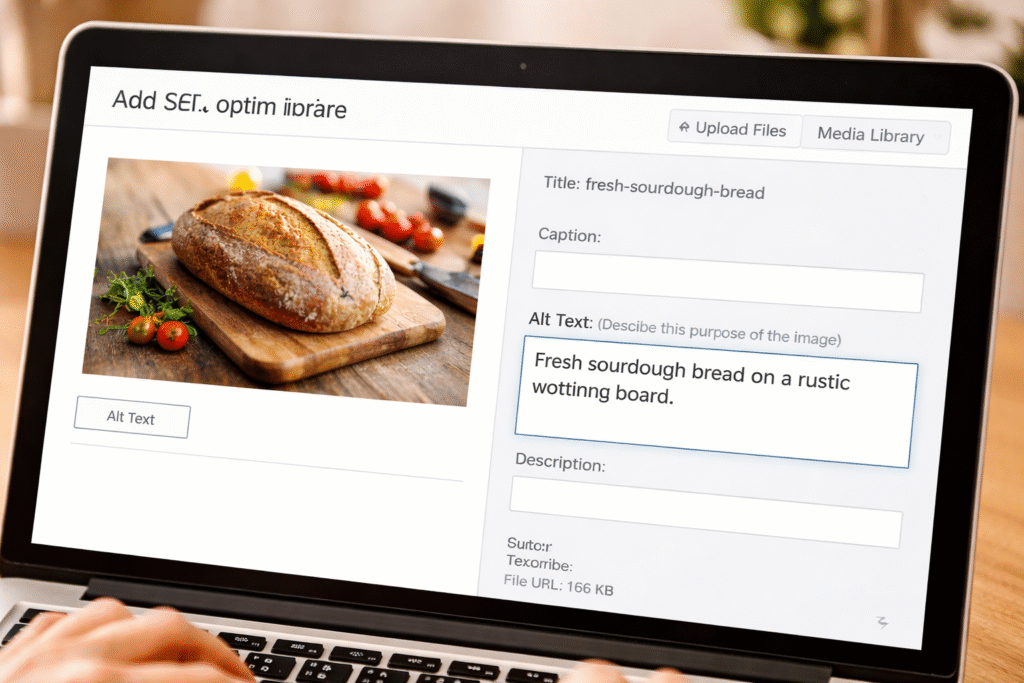
Alt text of image, or alternative text, is a short description of an image that explains what it shows. It helps search engines understand images and improves accessibility for users who rely on screen readers.
Why Alt text of Image is important for SEO
Alt text is important because it
- Helps search engines in understanding the images: search engines can’t see the images like humans. So, for high ranking, Alt text helps search engines to understand what is shown in the image
- increases image search traffic: Enhanced Alt text helps your image to appear in Google images, which helps your website get more visitors
- Boosts Keyword Relevance: add your main keywords in the alt text, which helps Google to know about your page
- Helps When Images Don’t Load: if an image does not load on your site, then the browser automatically shows alt text as an alternative. This keeps users informed about missing visuals or images.
How to add Alt Text
Here we learn to add alt text in both types of websites, the first is WordPress, and the other is HTML (coding website)
In WordPress
Method 1 – Add Alt Text While Uploading an Image
- Log in to your WordPress Dashboard
- Go to Media → Add New
- Upload your image
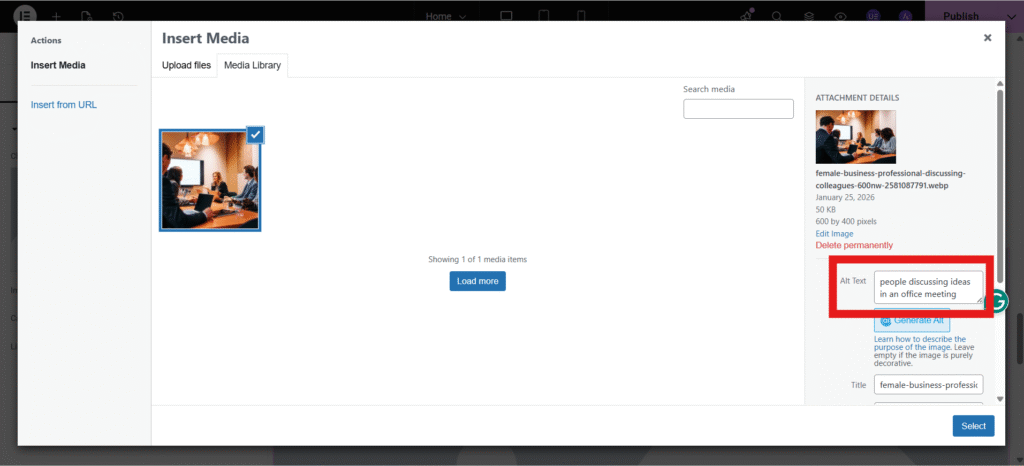
- Click on the image
- Find the Alt Text field on the right side
- Write a clear description of the image
- Save
Method 2 – Add Alt Text Inside a Blog Post
- Open your blog post or page
- Click on the image
- Open Image Settings (⚙️ icon)
- Enter text in the Alt Text field
- Update the post
In HTML (Coding Website)
In coding websites, Alt text is added using the alt attribute inside the HTML < img> tag
<img src= "mountain-landscape.jpg" alt=" snow-covered mountains under a blue sky"> 
Best Practices for Alt Text Optimization
- Describe the Image Clearly
Always explain what is actually visible in the image. This helps both users and search engines understand the image properly.
- Use Keywords Naturally
Include your main keyword only when it fits naturally. Forced keywords can hurt SEO and reduce readability.
- Keep Alt Text Short and Clear
Alt text should be concise and meaningful, ideally under 125 characters. Avoid long or complex sentences.
- Avoid Keyword Stuffing
Do not repeat keywords unnecessarily. Alt text should be written for real users first, not just for search engines.
- Don’t Use “Image of” or “Picture of”
Screen readers already recognize images, so phrases like “image of” or “picture of” are unnecessary and should be avoided.
- Make Every Alt Text Unique
Each image must have its own unique description. Never copy the same alt text for multiple images.
- Focus on User Experience
Write alt text that adds value, makes sense, and clearly explains the image to users who cannot see it.
- Leave Decorative Images Empty
If an image is only used for design or decoration, you can leave the alt text empty (alt=""). There’s no need to add a description for such images.
SEO Alt Text Examples (Good vs Bad)
| Image Type | Bad Alt Text | Good Alt Text |
|---|---|---|
| Laptop | laptop | SEO blogger using laptop for content writing |
| Food | food image | healthy salad meal for weight loss |
| SEO graph | chart | SEO ranking growth chart in Google search |
Frequently Asked Questions (FAQs)
How long should alt text be?
The best length of Alt text is 5- 15 words or under 125 characters.
Can I use keywords in alt text?
Yes, you can use keywords in it , but do not stuff keywords.
Is alt text mandatory?
Yes, SEO wise, it is important .
Can I use the same alt text for multiple images?
No, you should write different alt text for every image, and even if the images are similar, you should always write different alt text.